

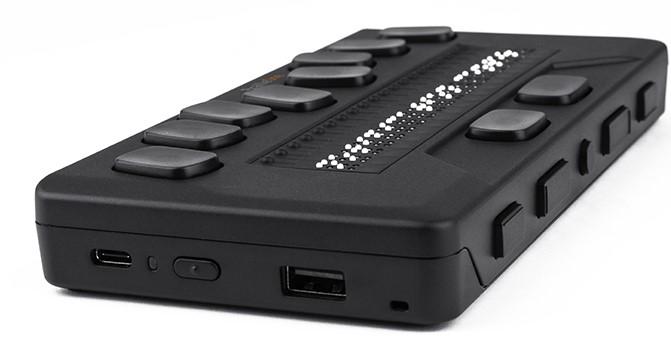
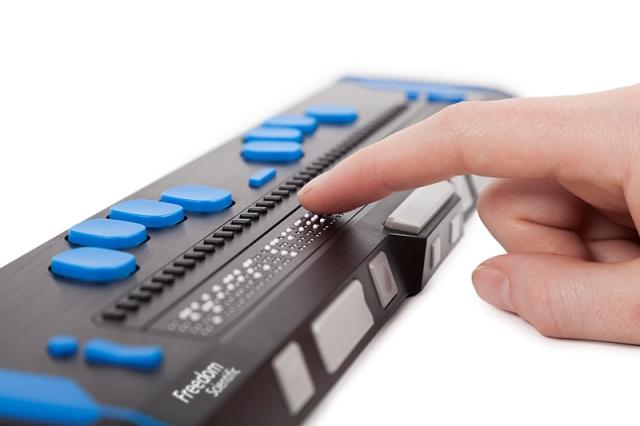
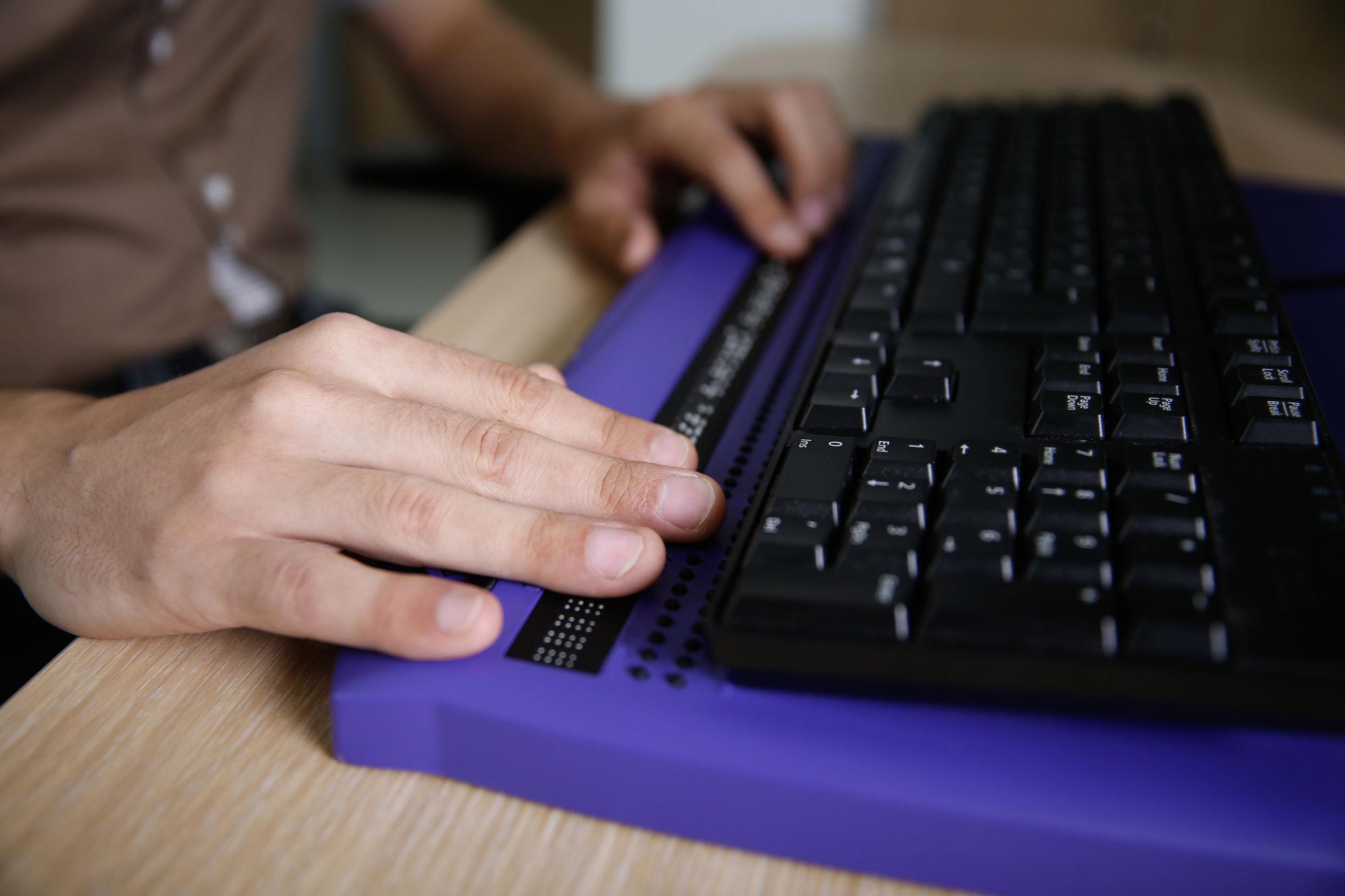
Image Description: primary pic
No PwD profiles found
Add PwD ProfileChoose the person with disability for whom you want to contact the vendor.
Smart mobility devices
address
7284892292
vendor23@mailto.plus
No links available for now
A Braille Display is one of the most empowering assistive technologies available for persons with visual impairments, enabling reading independence, seamless access to digital information, and improved participation in education, employment, and everyday life. Designed to convert digital text into tactile Braille characters, a Braille Display bridges the gap between technology and accessibility by allowing users to interact with computers, smartphones, tablets, and other digital devices through touch rather than sight. It is an accessible reading tool that supports users in navigating the modern digital world with confidence, efficiency, and autonomy.
One of the greatest advantages of a Braille Display is the independence it provides. For individuals who are blind or have severe visual impairments, relying solely on audio screen readers can sometimes limit privacy, concentration, or reading precision. A Braille Display allows users to silently read content at their own pace, making it possible to independently access emails, books, documents, websites, educational materials, and workplace information without assistance from others. This independence is especially valuable in professional and academic environments where privacy, accuracy, and productivity are important.
Braille Displays provide seamless text access across a wide range of digital platforms and applications. Whether connected to a laptop, desktop computer, smartphone, or tablet, the device instantly converts on-screen text into refreshable Braille output. Users can read documents, browse websites, compose emails, participate in online learning, or interact with office software efficiently and comfortably. This seamless integration with modern technology helps visually impaired individuals stay connected, informed, and productive in both personal and professional settings.
Another major benefit of Braille Displays is their straightforward setup and ease of use. Most modern Braille devices are designed with user-friendly interfaces and support standard connectivity methods such as Bluetooth and USB. They are compatible with popular screen reader software and operating systems, making installation and configuration relatively simple. Once connected, users can quickly begin reading and navigating digital content. Many devices also include shortcut keys and navigation controls that simplify scrolling, editing, and interacting with applications, ensuring a smooth and intuitive user experience.
Braille Displays are especially ideal for students. In educational settings, access to information is critical, and Braille technology enables visually impaired students to study independently and effectively. Students can read textbooks, lecture notes, assignments, research materials, and online educational resources in Braille form. Unlike audio-based learning alone, Braille literacy strengthens spelling, punctuation, grammar, comprehension, and language development skills. It also allows students to better understand complex content such as mathematics, coding syntax, scientific formulas, and structured documents where precise formatting matters.
For professionals, Braille Displays provide essential accessibility support in the workplace. Employees with visual impairments can use them to manage emails, prepare reports, review spreadsheets, write code, attend virtual meetings, and access enterprise applications. Because Braille offers precise character-by-character reading, professionals working in fields such as law, programming, finance, content writing, quality assurance, and administration often find Braille Displays highly beneficial. They improve productivity while promoting workplace inclusion and equal opportunity.
Accessible reading tools like Braille Displays also contribute significantly to social inclusion and digital empowerment. In today’s technology-driven world, access to digital information is essential for communication, education, employment, banking, shopping, healthcare, and entertainment. By enabling direct interaction with digital content, Braille Displays help remove barriers that visually impaired individuals might otherwise face. They allow users to participate more fully in society, reducing dependency on others and encouraging confidence and self-reliance.
One of the reasons Braille Displays are considered easy-to-use is their tactile and intuitive design. The refreshable Braille cells dynamically update as the user reads through content, creating a natural reading experience similar to traditional Braille books but in a compact electronic format. Navigation buttons and keyboard commands are typically arranged ergonomically to support efficient operation. Many devices are portable and lightweight, allowing users to carry them easily between home, school, office, or travel environments.
Braille Displays are also perfect for both home and work use. At home, users can read books, browse the internet, communicate through social media, manage personal documents, or enjoy digital entertainment independently. In professional settings, the same device can support office tasks, remote work, online collaboration, and productivity tools. This versatility makes Braille Displays practical and valuable across multiple aspects of daily life.
Modern Braille technology continues to evolve with improved portability, connectivity, battery life, and compatibility. Some advanced Braille Displays include note-taking features, onboard applications, speech support, wireless connectivity, and integration with smartphones and cloud platforms. These enhancements make them even more adaptable for students, professionals, and general users who require accessible digital solutions.
Another important aspect of Braille Displays is their contribution to literacy and long-term educational development. While audio technologies are useful, Braille literacy remains fundamental for many visually impaired individuals. Reading through touch supports better understanding of spelling, sentence structure, punctuation, and formatting compared to listening alone. This literacy foundation can positively impact academic achievement, career opportunities, and overall communication skills.
In addition to supporting reading, Braille Displays are valuable tools for programming and technical work. Developers and IT professionals with visual impairments often rely on Braille output to accurately review code syntax, indentation, symbols, and special characters that may be difficult to distinguish using speech output alone. This precision enables more efficient debugging, coding, and technical analysis.
Braille Displays also encourage confidence and independence in young learners and adults alike. By giving users direct access to information, they reduce the need for constant assistance and foster a sense of self-sufficiency. For many users, the ability to independently read and interact with digital content is life-changing, improving both personal growth and professional development.
Overall, a Braille Display is far more than just a reading device. It is a powerful accessibility solution that promotes inclusion, independence, literacy, and equal access to digital technology. With seamless text access, straightforward setup, user-friendly operation, and support for education and employment, Braille Displays continue to play a crucial role in empowering persons with visual impairments. Whether used at home, in schools, or in workplaces, they provide reliable and efficient access to information, helping users navigate the digital world with dignity, confidence, and independence.k.
Incomplete: Visually impaired individuals seeking voice-controlled assistance
Contact the vendor directly for detailed technical specifications and accessibility certifications.
Incomplete
Share your experience with this device
Loading reviews…
No reviews yet. Be the first to review!
Your queries are private and visible only to you, the vendor, and platform administrators. Content may be reviewed automatically before it is shared with the vendor.
Have questions about fit, usage, or accessibility needs? Describe the PwD's context and what you're looking for.
View your queries and assistive partner responses. Each query allows one response.
Loading queries…
You haven't asked any private queries yet. When you send a query, it will appear here along with the vendor's response.
Access personalized AT recommendations
Support those in your care
Contribute to accessibility initiatives
List and sell AT devices
AT/AD Portal uses SwarajAbility's secure Single Sign-On (SSO) system to protect your data and provide seamless access to personalized assistive technology recommendations, device catalog, and accessibility resources.
By signing in, you agree to our Terms of Service and Privacy Policy